
Hero11 APK Login: Sign In, OTP & Account Help
For Hero11 APK login, open the installed app and use Login/Register with your existing linked contact. New users can follow the Hero11 registration guide. Hero11 Store treats a missing OTP as a login step inside the app, not as a new APK download.
Already have Hero11? Open the app on your phone. Go to login help →
Hero11 Store
Sign in to Hero11 with the same contact that received the code
Login help on Hero11 Store is for an app that is already installed. Use the email or mobile number from registration, without adding a country code if the field does not ask for one. If the OTP does not arrive, check the phone’s message app and wait before you request another. A password reset is a different control from a missing OTP. Never put the code, the password or a payment PIN into a support sentence. Customer Center can continue the case without those secrets.
- Same contact The sign-in field should match the one that registered the account.
- OTP Wait for one code. A second request can invalidate the first.
- Secrets Keep the code and the password out of tickets and out of this website.
Read it in this order
- 1 Confirm the app opens If it does not, go back to the install guide first.
- 2 Request one code Enter it on the Hero11 screen that asked for it.
- 3 Use Customer Center Choose the login topic if the code path still fails.
On this page
Hero11 APK login: sign in to your account
Open the installed Hero11 app and find Login/Register. The reviewed prompt asks for E-mail/Mobile No. (omit country code), followed by Continue. To get signed in again, type the email address or the mobile number that is linked to the account you already have.
Follow the prompt that appears next for your own account. After Continue, the material available does not show that every account shares one password route or one OTP route.
New to Hero11? See the registration first step →New to Hero11? Registration starts here
Use the separate Hero11 APK Register guide for the opening mobile or email screen that was reviewed, and for verification checks that depend on the case. Users who already exist should sign in using the contact linked to their account already.
Hero11 Fantasy and Hero11 to Win login
The reviewed interface places Fantasy inside Hero11. Once signed in, use the Hero11 Fantasy guide to name the section; a separate account for Fantasy, or a separate APK, has not been shown by this evidence.
Searching for Hero11 to Win login? The Hero11 to Win name guide explains the slogan and file-identity checks. Start with your installed Hero11 app rather than assuming that a similarly named page controls your account.
Hero11 OTP not received
OTP help inside the Customer Center tells you to check SMS or to try again. Make sure the number or email you check is the one named by the verification prompt now showing, and wait for delivery of the message before another code is requested.
- Review the identifier that was entered and the contact destination visible inside the prompt.
- Look in messages that were blocked or filtered; open folders in email only when the prompt says email is where the code went.
- Where a control for retry or resend is visible, follow the wait time displayed there. No single resend timer is fixed by the recording.
- An OTP, a password, or a payment PIN must never be shared in a post that is public, or with a person commenting on social media.
 Tap to enlarge
 Forgot your Hero11 password?
Start at the login page
What the recorded help directs you to use is the password-reset option found on the login page.
Use the account’s linked contact
Carry out the reset prompt that belongs to your account. Neither the full password-reset form nor every recovery alternative is shown by the recording.
Keep account help in the app
When the linked contact cannot be reached, turn to a support route you are able to open. Do not make a new account in the expectation that records of the original account will be recovered.
 Tap to enlarge
 Account-binding OTP is a separate flow
According to recorded help on the bank account, a code that verifies a bank change is sent to the linked phone or email, and the phone is given priority when both are linked. The flow being described is support for changing a bank; it is not proof that every login OTP travels the same way.
Open the Customer Center category that matches a linked-number problem or a bank-detail problem. Bank Card Info Issues and forms for changing a bank are what the video shows. Do not drop the only contact that still works before access to the account is settled.
If you can still access the app
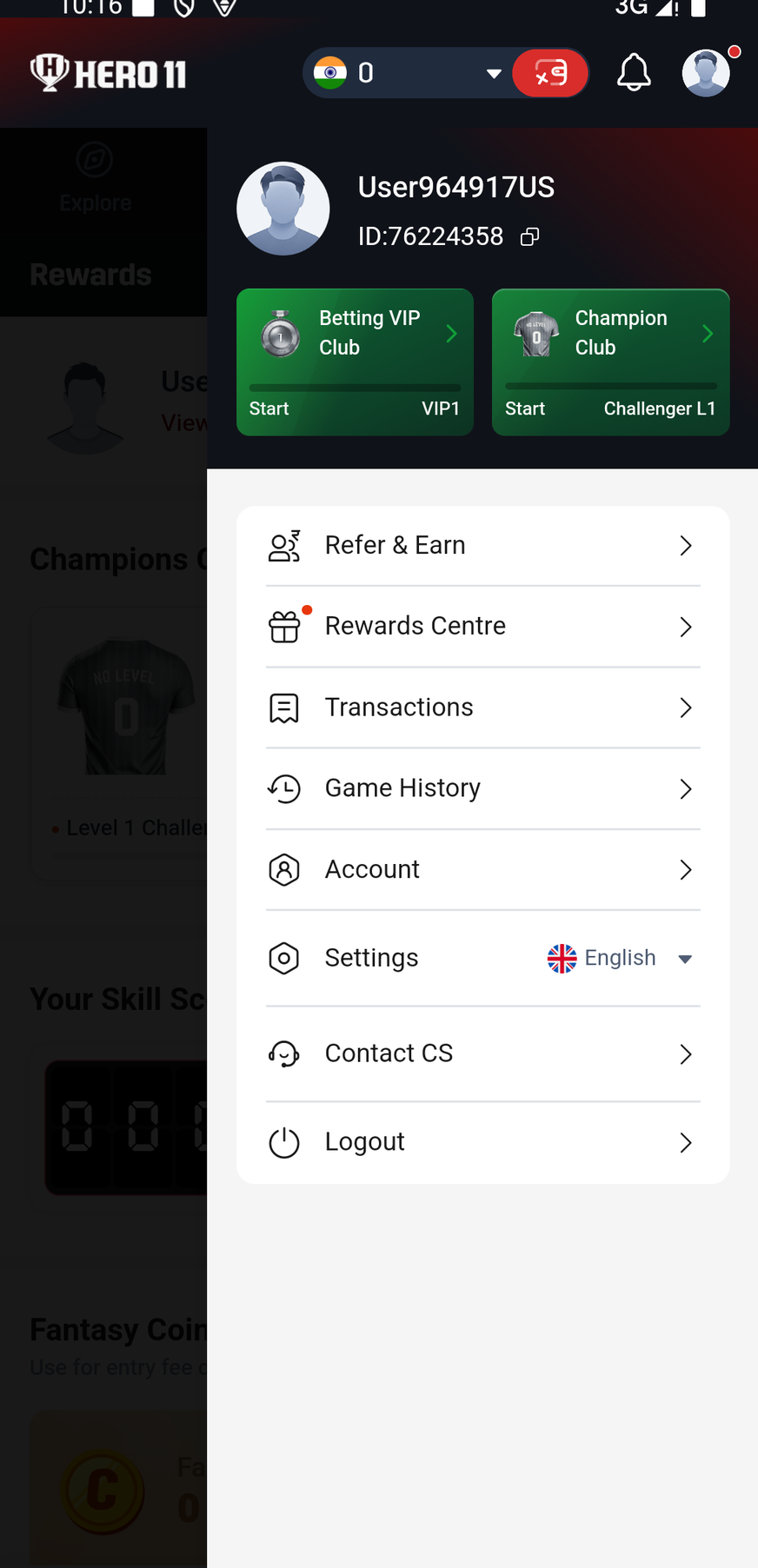
Open the account menu
Choose Contact CS to reach Customer Center.
Pick the closest issue
Go to help for the account or the bank, or open Live Chat. A problem with login is not the same as a ticket about a deposit or a settlement.
Describe the screen
Supply the error that is visible, the time, the device, and a reference for the app version. Keep any password and any verification code out of the description.
Track the response
Where a case already exists, open My Tickets rather than filing repeated tickets about that same issue.
Using a new Android phone?
Before the old phone is retired, check that the linked contact can be reached and that the same account can be signed into on the new device. Proof that the old account was recovered is not provided by installing an APK or by reaching the homepage.
Follow the new-phone checklist →Frequently asked questions
Should a country code be typed into the login field that was reviewed?
Leaving out the country code is what the reviewed field at the first step explicitly says. Should the interface change, follow whatever instructions that field then shows.
Does Continue always send an OTP?
A single flow after Continue, shared by every account, is not established in the material available. Follow whichever prompt is displayed for your account.
Can the Hero11 guide website reset my app password?
No. Account verification and recovery take place through the Hero11 app’s own login and support flow; this website does not receive your OTP or access your app account.
About the screenshots and rules
Account-help reference: supplied mobile Customer Center recording reviewed 8 September 2026; rechecked 10 September 2026.
First login prompt reviewed 10 September 2026. No login, registration or password-reset transaction was performed for this review.
Guide updated · Hero11. The screenshot and app-flow review dates above are unchanged.
Editorial update: · Hero11